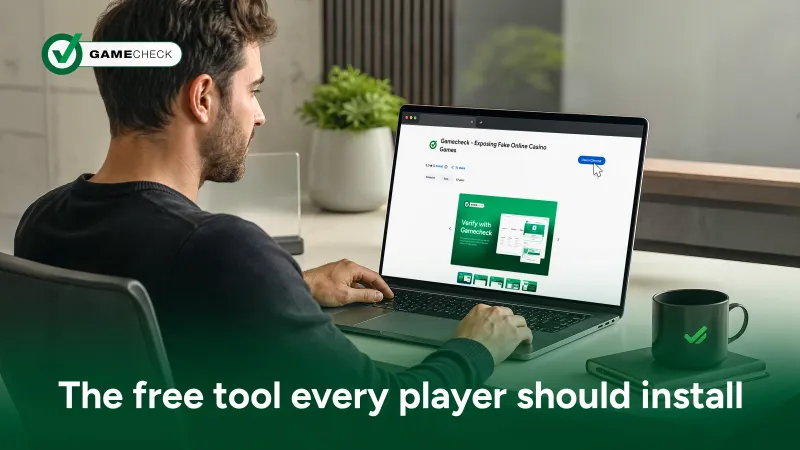
Checking an online casino before you play should feel effortless and take only a few seconds of your time. The Gamecheck Chrome Extension is a free tool that sits quietly in the browser and gives players an instant read on whether the games in front of them are real, without pulling them away from the site they're on.
For a lot of players, checking a site before playing feels like an inconvenience, something for the especially cautious rather than something for everyone. But the truth is a little different.
Fake games are built to look identical to the real thing. There is no visual clue that gives them away, no obvious sign in the graphics. The only way to know for certain is to check where the game actually comes from, and that is exactly the gap the extension was built to close. It sits in the corner of your browser doing one job well, so you do not have to think about it until the moment you need it.
Think about how many browser extensions already sit in your toolbar without a second thought: password managers, ad blockers, price trackers. They work in the background, and you barely register they are there until the moment you need them. The Gamecheck Chrome Extension is designed with the same principle in mind. Install it once, and it becomes part of how you browse rather than an extra step you have to remember.
Here is what happens in practice. While you are on an online casino site, you click the Gamecheck icon in your browser toolbar. The extension reads the site's URL and checks it against the Gamecheck database. Within moments, you see the site's name, its current status, how many cases have been logged against it, and whether the operator holds the Gamecheck SEAL. No copying and pasting links. No opening a new tab. No breaking the flow of what you were doing.
If the games on the site have already been checked, you will see one of three results: real games in operation, fake games detected, or pending checks, which means Gamecheck's research is still underway. And if the site has not been checked at all, the extension lets you flag it directly, without leaving the page.
One of the most useful parts of the extension is how easy it makes reporting. If something about a site does not sit right with you, or you simply want a closer look, you can submit a verification request straight from the extension's own form. There is a space for an optional email address, and a comments box if you want to add any context. That request goes directly to Gamecheck's team, who begin gathering evidence and checking findings with the original game providers.
Player reports are one of the ways new sites get added to the database in the first place. Every check that starts is a check that helps the wider community, not just the person who submitted it. Reporting a site takes a couple of minutes. Recovering money from a fake casino, on the other hand, can take a great deal longer, and there is rarely a straightforward way back once games have been played on a site offering fake versions. A short report, submitted at the right moment, can spare someone else that entire experience.
The extension currently works on Google Chrome, with scope to expand to other Chromium-based browsers such as Microsoft Edge in future. It is intentionally light: a small download, a simple interface with two clear actions, checking a site or submitting a report, and no account required to use it. That last point is worth pausing on. A lot of protective tools ask for sign-ups, personal details, or subscriptions before they give you anything useful. This one does not. You install it, and it works.
It is also built with a wide range of players in mind. The extension currently supports more than a dozen languages, from Portuguese and Spanish to Arabic, Hindi, and Chinese, which means checking a site should not depend on where you happen to be browsing from or which language you are most comfortable reading in. A tool built to protect players only does its job properly if all players can actually use it, and that principle sits behind a lot of the small design choices here.
Put together, the Chrome extension, the Gamecheck search tool, and the Gamecheck app cover the different moments in which players go online to play. The Chrome extension is there for the moment of play itself on your laptop or computer, giving you a live read on the page in front of you without leaving it. The search tool is there for the research stage, when you double-checking somewhere new: copy the online casino's URL, paste it into the search bar, and select the casino to view its results. For iOS users, the Gamecheck app includes a Safari extension that brings that same quick check to your iPhone or iPad, letting you check the Gamecheck SEAL status of an online casino directly from Safari on the go.
None of these tools ask much of you. None of them require an account just to run a check, and none of them cost anything to install. Between them, they turn "checking an online casino" from an occasional task into a habit that barely takes longer than opening the site itself.
Most operators are straightforward about the games they offer, and Gamecheck's role is not to cast doubt on the industry as a whole. It is to give players a quick, reliable way to confirm what they are already hoping is true: that the games on offer are the real versions, sourced from the original game providers, and not an altered copy running behind a familiar-looking interface.
That confirmation is worth having. A real game is fair by design, built and maintained by the provider whose name is on it. A fake version can look the same on screen while behaving very differently underneath, and the only way to tell the difference is to check the source, not the surface.
Installing the Gamecheck Chrome Extension takes less time than reading this article. Once it is there, checking a site becomes second nature: a click before you play, rather than an afterthought once something has already gone wrong. Add the Gamecheck search tool for the moments you are still deciding where to play, and you have a simple, no-cost routine that puts the facts in your hands before your money is on the table. Fair play should not depend on luck. With the right free tools in place, it does not have to.
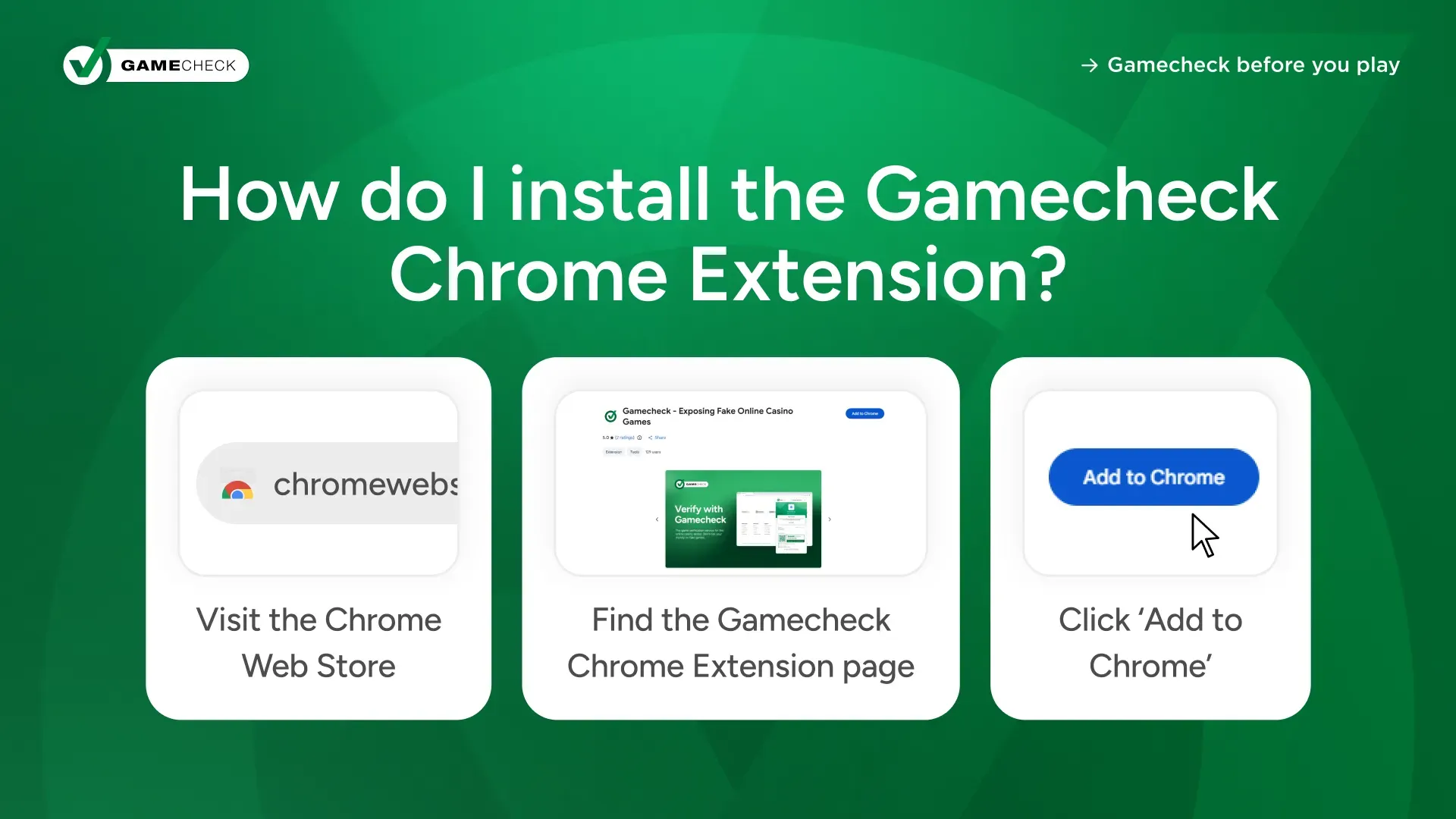
Available on the Chrome Web Store, the Gamecheck Chrome Extension installs in seconds.
Download the Gamecheck Chrome Extension today to check your games before you play.
Yes. The extension is free to install and free to use, and it does not require an account or any personal details to run a check. Gamecheck's Chrome extension empowers online casino players by instantly verifying the authenticity of games without leaving the website. With just one click, you can check whether an online casino is hosting real or fake games, helping you play safely and with confidence.
If a site has not been checked, the extension shows its status as pending checks and lets you submit a report directly, so Gamecheck's team can begin gathering evidence.
Yes. The extension gives you instant access to Gamecheck's database without leaving the page you're on, and you can access the search tool directly from there - so the two work together, with the search tool just a click away whenever you need it.
Published On: Sep 08, 2026
Updated On: Oct 26, 2026
Join operators using Gamecheck SEAL to protect players and grow credibility.